Honk Button Userscript
Prompt: Write a userscript that displays a button in the top right corner of any webpage which plays a honking sound.
Prompt: Write a userscript that displays a button in the top right corner of any webpage which plays a honking sound.
As developer Anders Borum originated professional-grade git integration on iOS with Working Copy, which remains unmatched, Secure Shellfish remains the reference standard for remote filesystem access across the board on this platform, despite how many competitors have arisen since its introduction.
I must admit: I overlooked Secure Shellfish for years and I’m not entirely sure why. I’m glad that ended last year, though, as I’ve actually since acquired a fair amount of remote file management in my day-to-day working life. Shellfish’s magic isn’t necessarily obvious, but I promise you it is worth finding out, and what may at first glance look like a somewhat disjointed series of functions actually comes together to form an absolutely irreplaceable application.
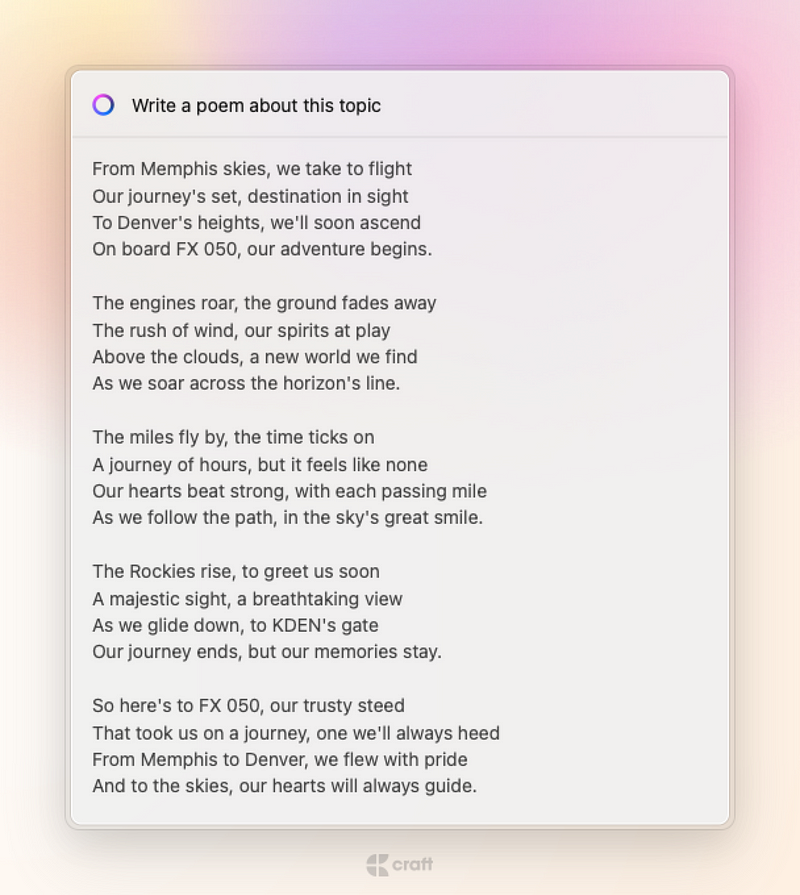
From Memphis skies, we take to flight
Our journey’s set, destination in sight
To Denver’s heights, we’ll soon ascend
On board FX 050, our adventure begins.
The engines roar, the ground fades away
The rush of wind, our spirits at play
Above the clouds, a new world we find
As we soar across the horizon’s line.
The miles fly by, the time ticks on
A journey of hours, but it feels like none
Our hearts beat strong, with each passing mile
As we follow the path, in the sky’s great smile.
The Rockies rise, to greet us soon
A majestic sight, a breathtaking view
As we glide down, to KDEN’s gate
Our journey ends, but our memories stay.
So here’s to FX 050, our trusty steed
That took us on a journey, one we’ll always heed
From Memphis to Denver, we flew with pride
And to the skies, our hearts will always guide.

There are now quite a few terminal emulator-esque apps on the App Store, but I’ve been using a-Shell since it was joined only by Blink (from which it was forked) and iSH. As it was then, a-Shell remains the only one of these with which one can actually accomplish command line tasks locally beyond screwing around. I am ultimately not a command line native, and I don’t have the basic theory beneath my use of Python scripts, yet I’ve been able to accomplish startlingly powerful things within this app, thanks in large part to gracious and immediately-available support via the project’s Discord server.
If you’ve found yourself here by way of a Siri Shortcut’s requirement, I would encourage you to take the time to investigate the commands said shortcut(s) run - try running them yourself!

All of Simon’s apps are genius and wholly unique, but Jayson will always have a special place in mine own heart as the single application which finally killed my phobia of JSON, in general. It is by far the most elegant and intelligent means of manipulating JSON dictionaries I’ve ever seen on any platform. I’ve worked with both the iOS and macOS apps, now, and both are - dare I say it - a genuine joy to use. BUY!
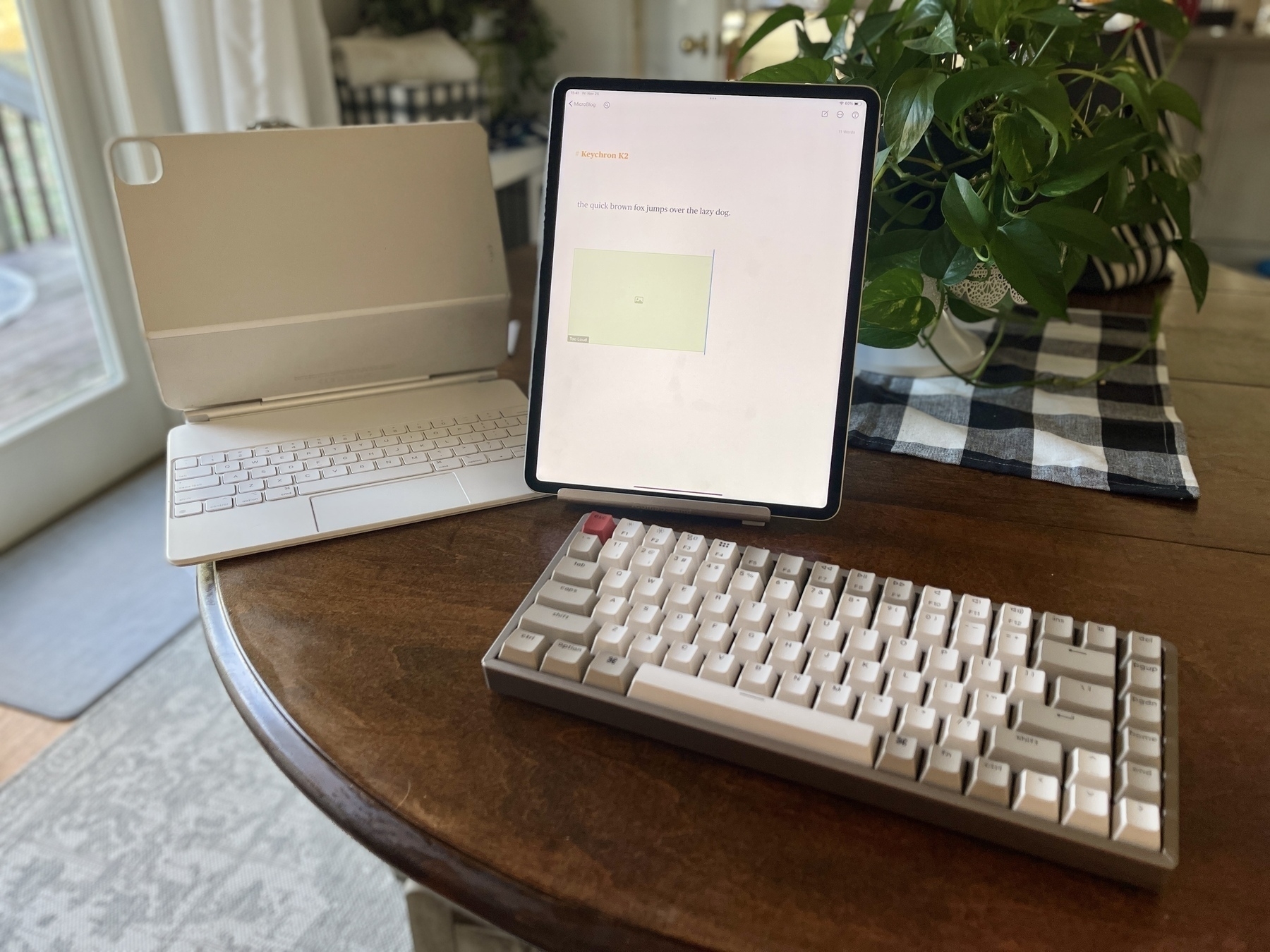
Having broken my beloved Varmilo VA108M (which I absolutely intend to fix one day in the near future, FYI,) months ago and just last week completely totaled the period (.) key on my Absurdly Overpriced Toilet Professional iPad Keyboarding Apparatus, I decided to buy an on-sale variant of Keychron’s K2 with the loudest switches (the blue ones) available, assuming that surely no keyboard could be truly, disruptively loud.
I was very wrong.
I do love that one can connect it via USB-C (not that it makes sense in any situation I can imagine) and that there’s a dedicated screenshot key!
Hot Swap

I know a lot of the reviews here express discontentment with TextExpander’s support on iOS. I hear that, but - as a Bear and Drafts user - I rarely encounter this as a limitation. I also use an external keyboard with my iPhone, though, which makes calling the TextExpander keyboard anywhere else somewhat inconvenient. (Keyboard switching is done with the function key, if you were wondering.)
From what I understand, though, TextExpander’s SDK is quite easy to implement, so it’s also a question of other developers acknowledging that it’s a worthwhile and desired addition to their applications.
I’m not sure I’ve seen it mentioned here, but the native iOS/iPadOS/AND macOS feature now entitled “Text Replacement” is certainly worthwhile for anyone looking for something like TextExpander. It can easily be made to function quite similarly.

I've spent more cumulative time playing with my Obsidian configuration in the past 24 hour hours than the sum of the whole I'd spent doing so in the 3(?) years since I installed beta (or was it alpha?) one. While I still find it janky as hell and deeply untrustworthy – among far too many other woes – I must admit that the bulk of shear hype surrounding its existence has indeed resulted in enough developer attention to achieve some technically interesting capabilities. Naturally, most of these feel absurdly redundant in context and all rely on age-old dependencies, but... well, today I uploaded the text of my almost five-year-old Microsoft Surface Laptop 2 Review to its own dedicated Archive.org page in thirteen different formats rendered using Obsidian's (desktop-only) Pandoc integration!
I lambaste with the sincere intent, at least, of being genuinely constructive, and I began upon this post hoping to do so and finally get around to highlighting one of Drafts' most essential (and taken for granted, I suspect) powers in its entirely cross-platform, system-level integration with Mail on Apple Platforms.
One of Drafts' most immediately apparent advantages as a native iOS/iPadOS/macOS application is readily found in its integration with Mail. Though I've personally managed to almost escape my twenties having yet to endure an email-heavy job, I still find the practice of sending topical/sacred information to myself to be the upmost reliable and direct means of retrieving it.
As I've configured it, within Drafts on any of its 3 platforms, all I need do is press ^M to have the text of the current Draft sent instantly to an iCloud Mail alias I use for such things.
If I were sending to more folks than just myself on a regular basis, I'd definitely make use of Drafts' Mail Action Wizard to help simplify and solidify the process of creating a dedicated action, which almost certainly would not have the Send in Background toggle selected, as demonstrated, for the sake of giving myself a preview of outbound messages to... important folks. For macOS users, there's also a bespoke Catalyst app called Mail Assistant, which I've yet to try.
The parameters of the Mail action step can be filled with any combination of items from the original Drafts template tags array or from the relatively new set of mustache template tags.
The current version of my personal Send-to-Self action sent this example result using the format represented in the Gist embedded above. If you'd like, you can wrap the [body] tag (or any part of the message, actually) in double %s and select the Send as HTML toggle to have the result rendered as HTML. (See this example.)

If – like me – you're an iCloud Mail user primarily from iOS/iPadOS, here's how to create an iCloud Mail rule for messages you've sent yourself from Drafts:
drafts-mail@drafts5.agiletortoise.com.I've spent a lot of time this year working on integrating Drafts with NeoCities, Write.as, and other publishing services, but – for new users, especially – Drafts' mail integration offers a pathway to publishing with virtually zero configuration for those services who still offer mail-to-save/post email addresses. These include WordPress, Blogger, Write.as, LiveJournal, Evernote, Day One, Things, Todoist, and more.
Perhaps the easiest method of setting this up would involve finding your private email address for a given service(s), pasting them in the aforementioned Mail Action Wizard, titling the action by the name of the service, and installing. There's also an Email to Myself action on the Drafts Action Directory to get you started.
Going the other direction, users of Apple Mail (the client) might find it pleasantly surprising that one can drag a message from Mail into Drafts in order to automatically create a markdown-formatted hyperlink that opens said message from anywhere.
For more details, see the official 'Sending Mail with Drafts' Integration Guide.

As I touched on in my 2021 overview of The Psalms, this blog has undergone some very significant – and mostly involuntary – changes of late. This summer has abruptly brought some life happens which will inevitably contribute further changes to a degree that warrants a very bloggy sort of Update Post.
Most importantly, perhaps, is that I've found myself with a real, tangible, full-time Big Boy job as a nighttime custodian of my actual elementary school. Though I suppose it's never been revealed before, here, I actually love cleaning and love this school, particularly, so I'm more excited than I've ever been for any sort of documentable employment, but this means I will imminently be transitioning from a lifestyle with virtually zero time-bound obligations to working 3-11:15PM, Monday through Friday. Undoubtedly, this will have a profound effect on my recently-announced consultancy business, but I'll be making an effort to formally update the adjacent Fantastical Openings links with revised availability.

Adjacent to this news are the experiences I've had in the past few weeks helping a friend ready her third-grade, public school classroom, which have been particularly enlightening with regard to the extent that iPads have been integrated into the education of young children in this country. Some highlights from this discovery (in this particular, Title I Midwestern elementary school):
In the two weeks preceding our district's start date, I had the painful opportunity to tour some of my friend's colleagues' storage solutions for their student iPads. The image below is the one I chose to append to my appeal to the MacStories Discord, attempting to leverage workspace-obsessed yuppies' knowledge for the benefit of public education.

There were a few helpful replies, which made it clear that organizations with actual budgets for device storage have gravitated toward rolling carts.
I've been made intimately aware just how integral YouTube has become in public education, these past few weeks. believe it or not, there is not a program – to the educators I've spoken to's knowledge, anyway – that removes advertising from YouTube playback in this case.
— ⓓⓐⓥⓘⓓ ⓑⓛⓤⓔ (@NeoYokel) September 1, 2022
The time I haven't spent in this medium has been redirected toward a few key sources. My Raindrop collections have continued to grow, including a particular one I'd like to highlight here, called Blessed Web Utilities.
With its new ownership, I've continued to pour more and more energy into Siri Shortcuts published on RoutineHub. I'm proud to have been asked to participate directly in the platform's upcoming aggregatory efforts. I've also established a reliable habit of sharing Shortcuts documentation/source files on the extratone Telegram channel, among many other aspects of my ongoing Online Life.
I've also restarted an Extratone-era habit of using redirects to simultaneously simplify and index topical URLs to both my own projects and external resources. My new, NeoCities-bound Redirection Index should be a robust way to keep up with David Blue, Online, therefore.
As always, I hope you'll freely contact me with comments/suggestions/feedback/rants/etc. As for this particular feed, I doubt there will be much noticeable change from its status quo in the past ~two years.
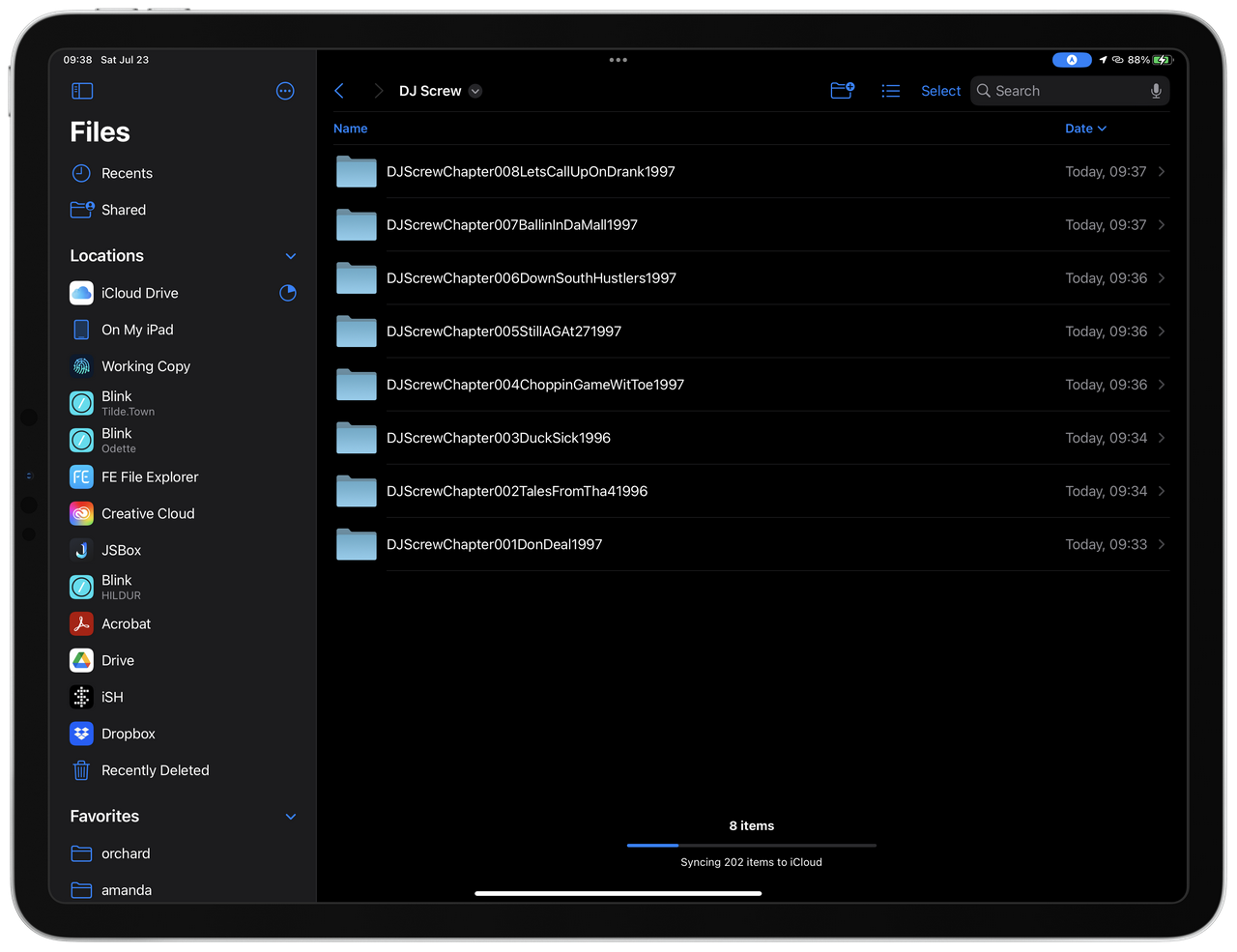
Though I don't believe I've ever discussed it, here, the continuance of the fandom for Houston music legend, DJ Screw, on into the 21st century is an issue I remain very invested in. I doubt you want to hear much about it, but the issue of actually obtaining audio files from the Screw collection is a worthwhile one to engage for context's sake. I was first introduced to the ~343-chapter collection by my high school best friend, who'd acquired it via an ancient Pirate Bay torrent some hero set up in the early 2000s[^1]. It was complete – probably – and more or less correctly organized by chapter, but that's about it as far as reliable metadata was concerned. The results one would find elsewhere on the web, from sites like DatPiff, were hardly any better – many, in fact, were obviously sourced from that same torrent.

In the interim, a lot has changed about music consumption. You know this, but – as you might've already imagined – none of the mainstream services you fuckers partake in have managed to do Robert Earl Davis III justice in the modern era. Apple Music and Spotify, both, will send you in neatly identical spirals pretty much regardless which of their pet vectors you choose to populate with His Name. As much as I've vouched for the former, it's perhaps the worst of them all in this context – departing the marque entirely into the (respectable but... incorrect) world of non-Davis SLOWED 'n” THOWED[^2] almost immediately.
Perhaps one day, I'll find it within myself to tackle this issue – DJ Screw in the Щ́̇͋ͯ̋̅Σ̾̒͋ͯͭ ̊ᄂ̋̈͐İͬV̏̆̊͛̍̌Σ̆ͣͣͭ͐ͫ̆̊ ͪͬ̿̈́̑ͤ̚IͫП̎̿͑ͦ͆̚ ͣͫ͌ͨ̈Λ̃͛̓ͦͪ͒̑̽ ͛̑ͤ͊ͭƬ̒I̅͌̊̑ͧͪM̈́̓Σ̋̏͂͐͊͆ͣ, generally – but I actually have extremely wonderful, urgent news. You see, dearest archive.org was actually provided the entire, impeccably tagged Discography by actual Culture Heroes some years ago. All of it, accessible in multiple file formats, embeddable, superbly shareable! This is the most important truth I have to impart to you today, really, but – for iPhone, iPad, and Mac users, there's even more...

As of right now, just two Siri Shortcuts – Download Random Screw Tape and DJ Screw Discography[^3]. The first is perhaps the most delightful – if all goes well, running it right out of the box should result in a random tape from the library downloaded in a folder of your specification (at install,) as well actual playback, in correct order, within the shortcut, itself.
This is magic, yes, but the second is true power. After picking folders at installation for 1) downloaded archive.org-sourced .zip files to live in temporarily before they are extracted and deleted and 2) your complete, correctly metatagged DJ Screw Tape library could – in theory, anyway – magically appear in a single, undoubtedly several hours-long run. I have yet to actually test the full bit myself, technically, but I can advise you to set Auto-Lock (Settings ⇨ Display & Brightness ⇨ Auto-Lock) to Never, make sure you leave the Shortcut open within the Shortcuts App, itself, and give it a shot, if possible.
[1] I attempted to find this torrent for the sake of this post and well... The Pirate Bay looks a lot different than I remembered. [2] This is not criticism. If it was, it would be ridiculously hypocritical. [3] If RoutineHub is struggling/you find it untrustworthy, the direct iCloud Share links are here and here. Please contact me if you encounter any issues.